
Site DNAi
Documentation & help
From installation to llms.txt and the AI Act: clear guides in plain language, without technical jargon.
Getting started in 5 minutes
1. Install. In WordPress go to Plugins → Add New and search for “Site DNAi”, install and activate. A Site DNAi menu with the helix icon appears in your sidebar.
2. Enter your facts. Open the Facts tab and fill in your opening hours, address and key details.
3. Run a scan. Click “Scan now” — within a minute you’ll see where your site deviates.
4. Choose bots. Enable per category which AI bots are welcome; the safety net protects your sitemap and search engines automatically.
Status screen FREE
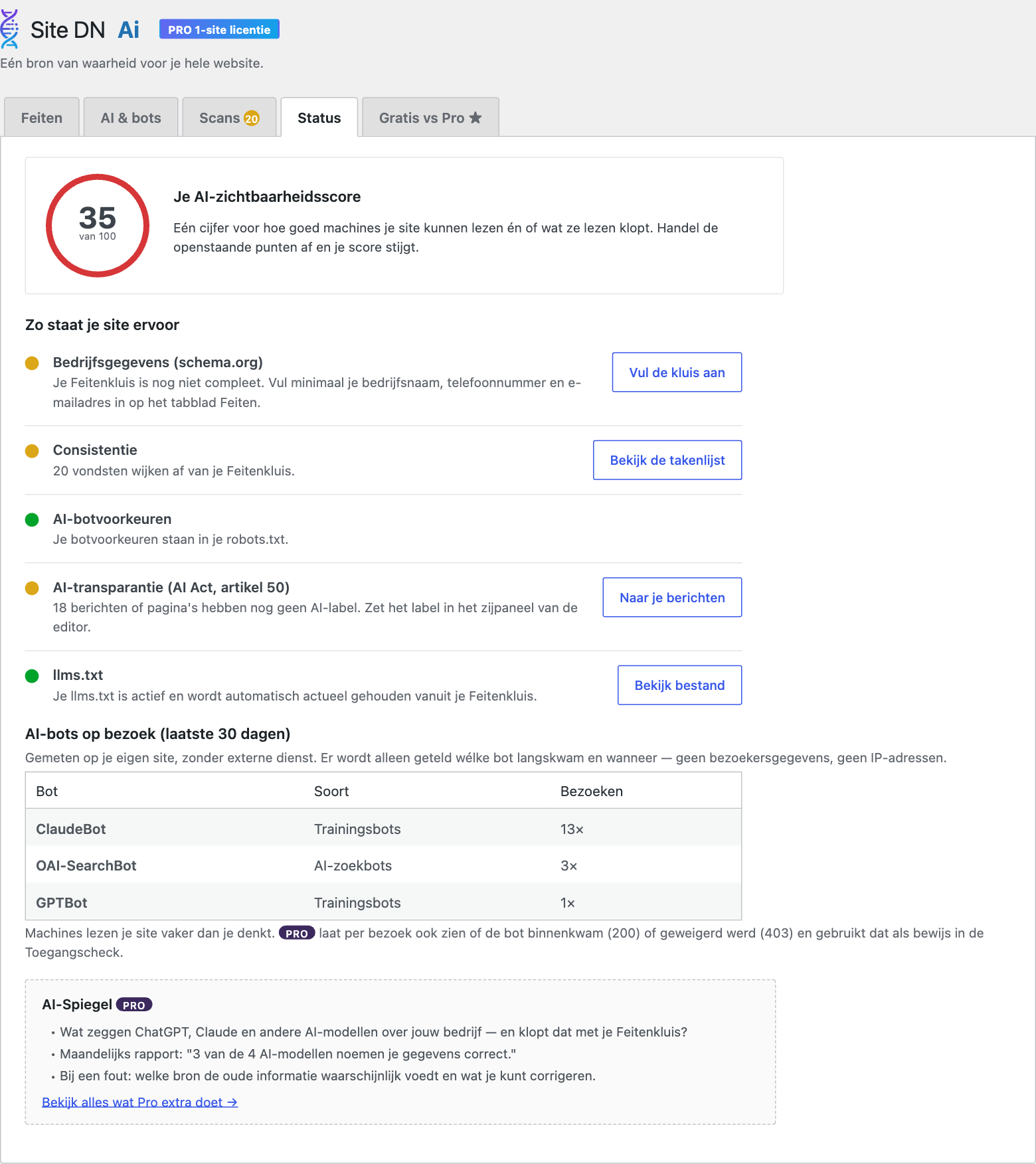
Real plugin view — click for the full screen
Facts FREE
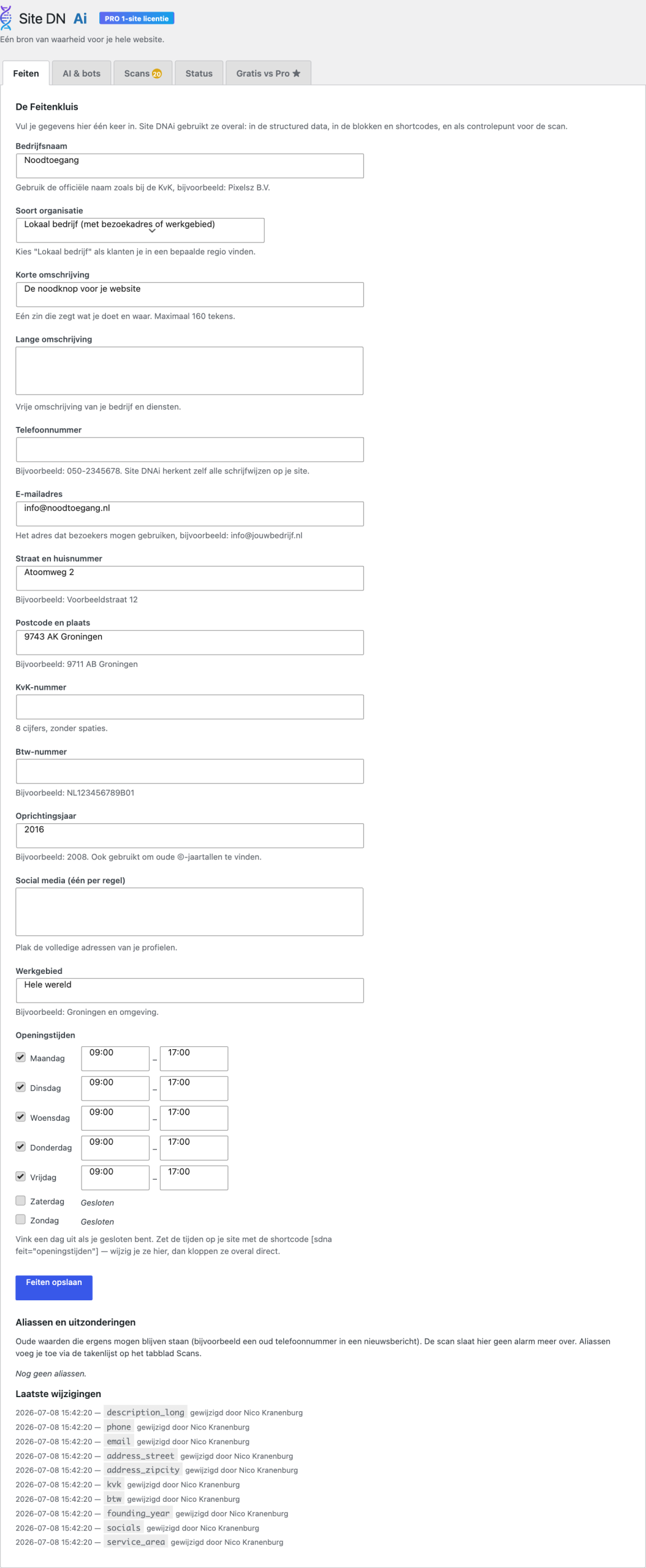
The consistency scan guards your facts
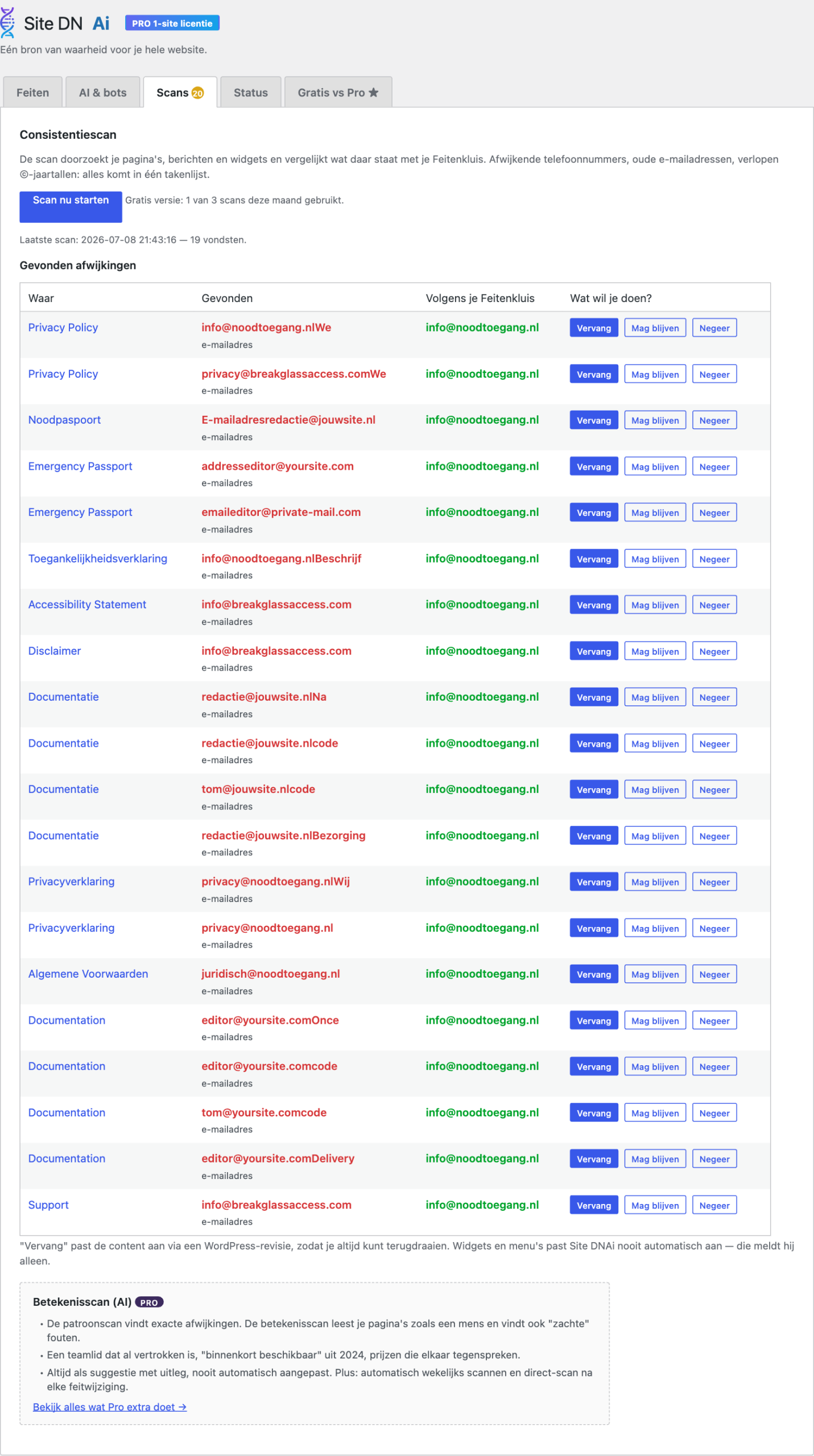
Real plugin views — click for the full screen
Central facts
Your facts are the source of truth of your site. You enter them once and insert them anywhere with the facts block or the shortcode
[sdna_feit]. Change something and it changes everywhere at once — and the fact scan watches pages where the facts are still “loose”.
Opening hours with exceptions
Public holidays and closures are set separately (pro); the block
[sdna_open_status] automatically shows visitors “Open now” or “Closed — open again tomorrow at 9.00”.
Bot preferences & robots.txt
Choose per category who may read your site: search engines, AI assistants (such as GPTBot and ClaudeBot) and data crawlers. Site DNAi translates your choices into a correct robots.txt.
The safety net
Even if you write rules yourself: your sitemap rules and search engine access are always preserved. A Disallow: / that would make your site invisible is intercepted with a clear warning.
In the “How AI sees your page” screen you view every page through a bot’s eyes — handy for checking what you do and don’t share.
AI & bots FREE
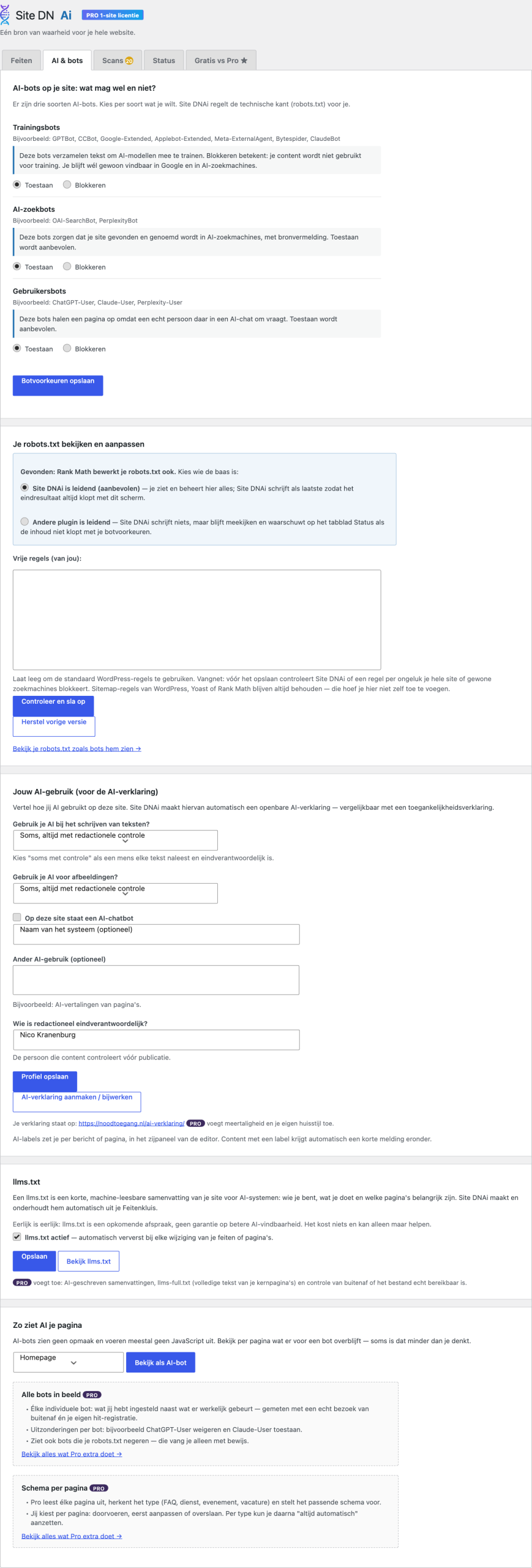
Real plugin view — click for the full screen
AI statement FREE
✅ Statement published at /en/ai-statement/
✅ Footer link active
✅ 3 pages labelled as “made with AI”
Last updated: 1 July 2026
AI statement & labels (Article 50)
From 2 August 2026 the European AI Act requires transparency: visitors must be able to know when content was made by AI and when they are talking to AI.
How Site DNAi handles it
You answer a few questions in plain language (“Do you use AI when writing text?”) and the plugin generates a tidy AI statement as a page, with a link in your footer. Per post or page you add an AI label with a single checkbox; pro labels in bulk and adds machine-readable markup.
Machine-readable markup (deadline 2 December 2026)
Besides a visible label, the regulation also asks for markup in the code, so software can recognise AI content. Site DNAi adds that machine-readable markup automatically to every page you label as AI content — retroactively too for existing content, for which the transition period runs until 2 December 2026.
That is how you show visitors and regulators alike that you have arranged it properly.
llms.txt & AI summaries
llms.txt is the emerging standard that lets AI models understand your site quickly: a compact, machine-readable summary at yoursite.com/llms.txt. Site DNAi generates it automatically from your facts and pages and keeps it current.
Pro adds llms-full.txt (an extended version with AI summaries per page, cached so it doesn’t slow your site down).
llms.txt FREE
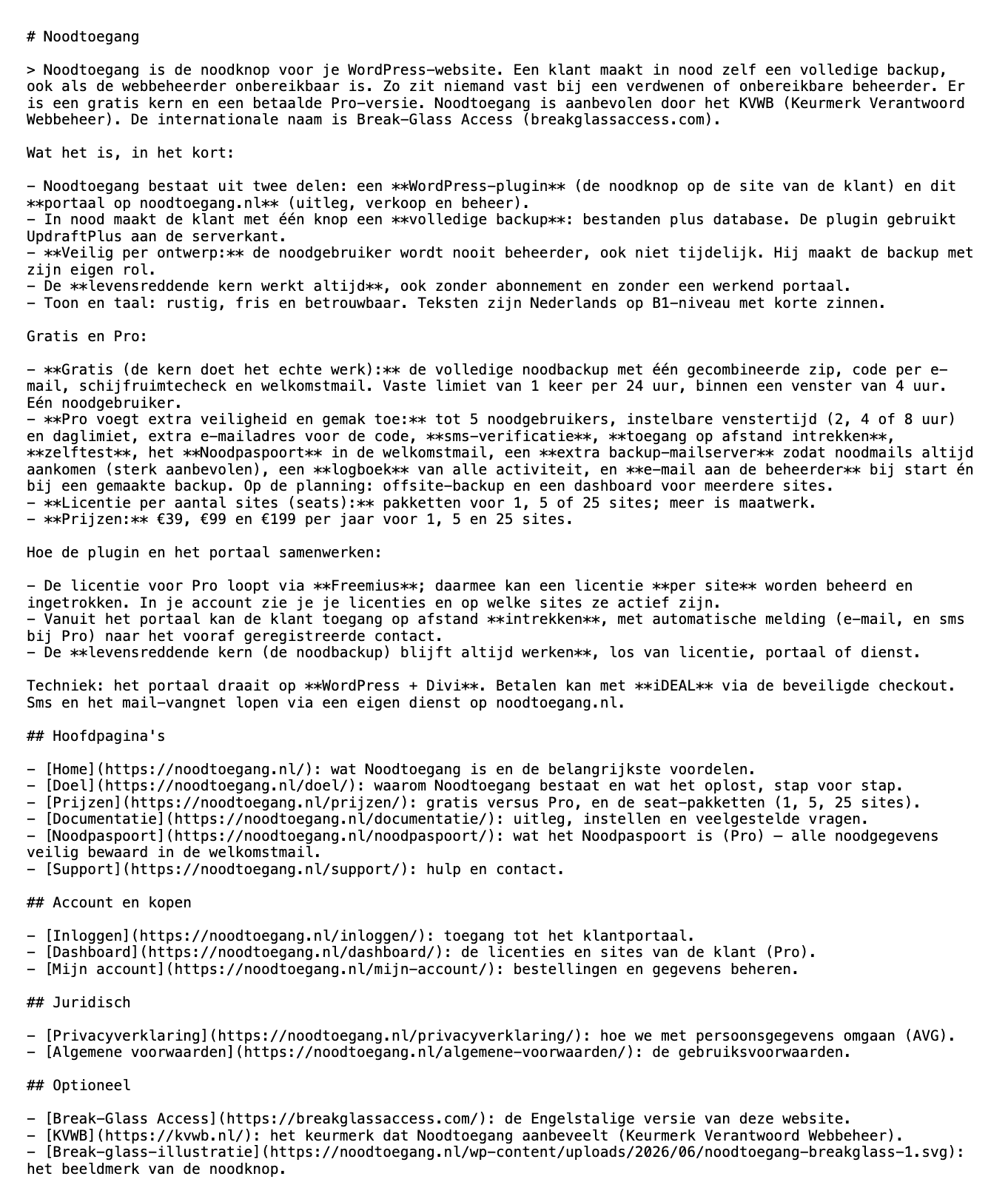
Really generated llms.txt file — click for the full view
The pro modules in brief
You’ll find all details and examples on the Pro page. This is what each part does.
AI Mirror PRO
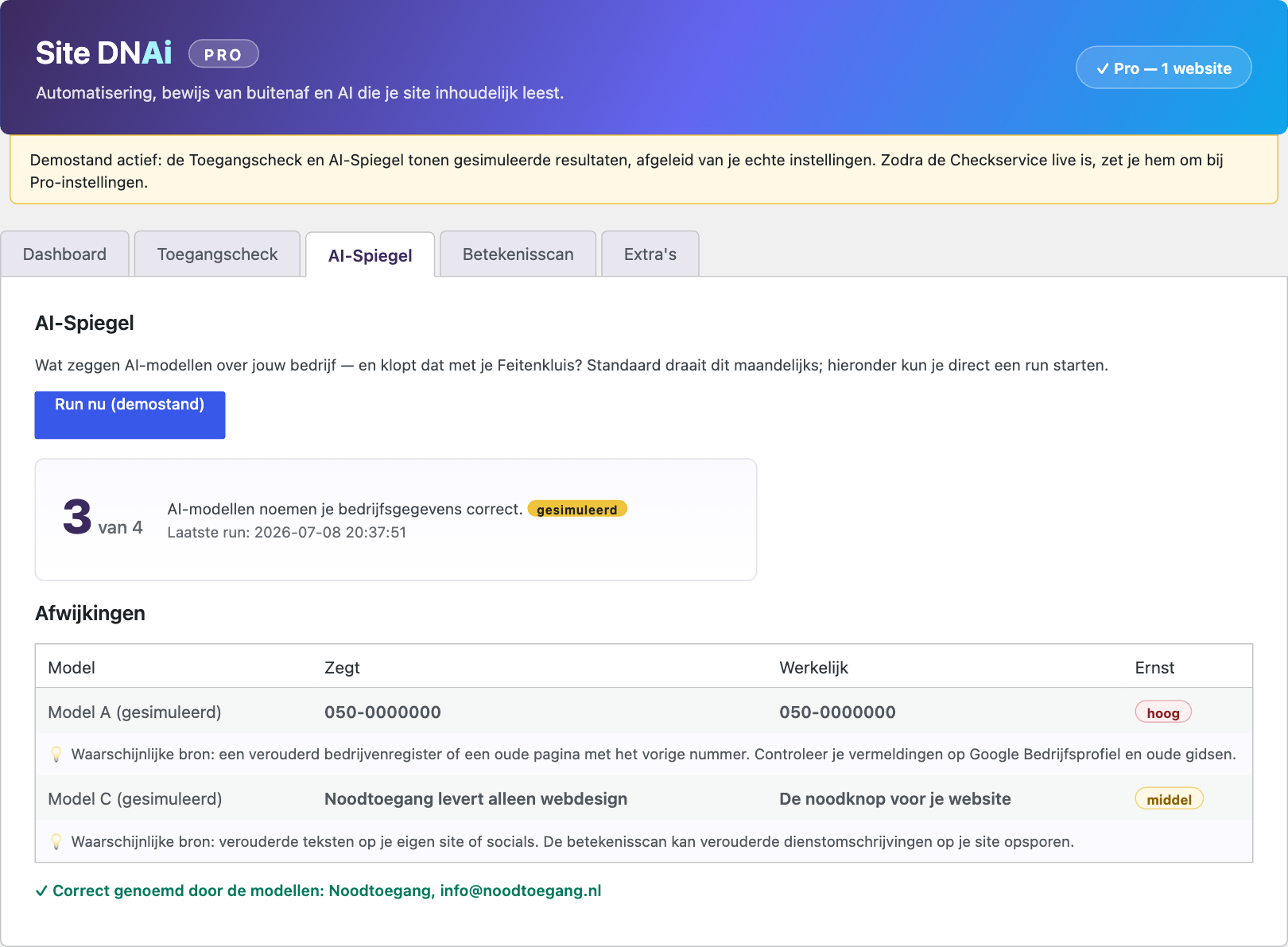
Real plugin view — click for the full screen
Meaning scan PRO
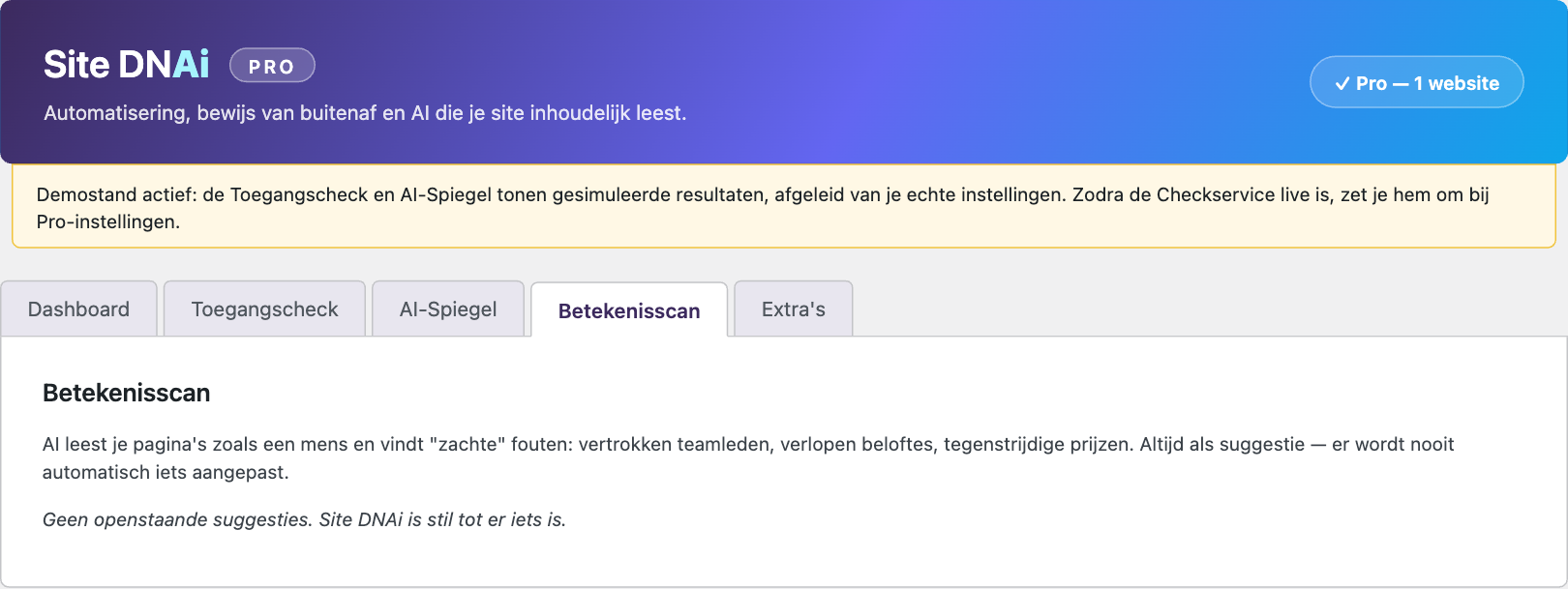
Real plugin view — click for the full screen
Access check PRO
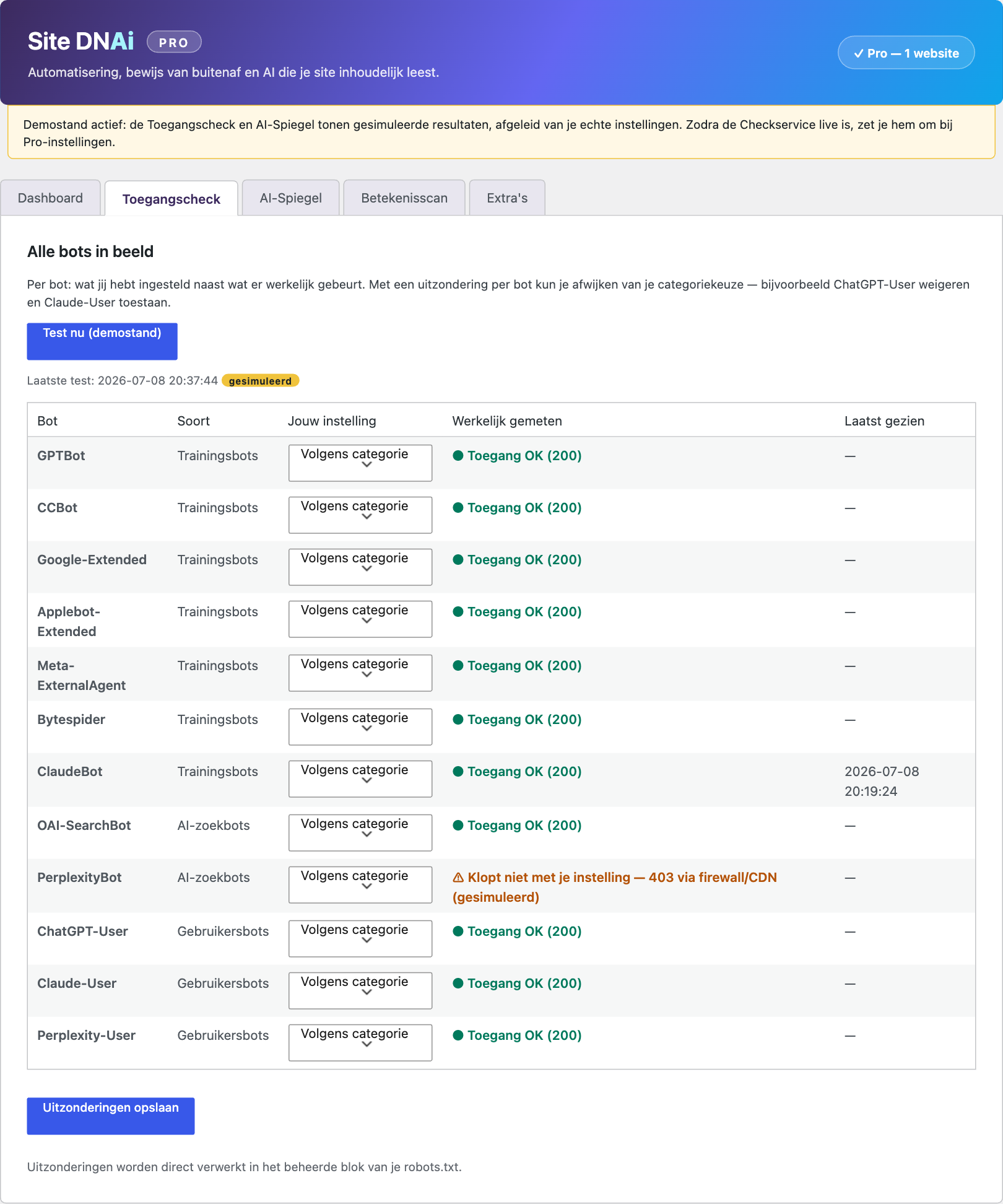
Real plugin view — click for the full screen
Monitoring and schema PRO
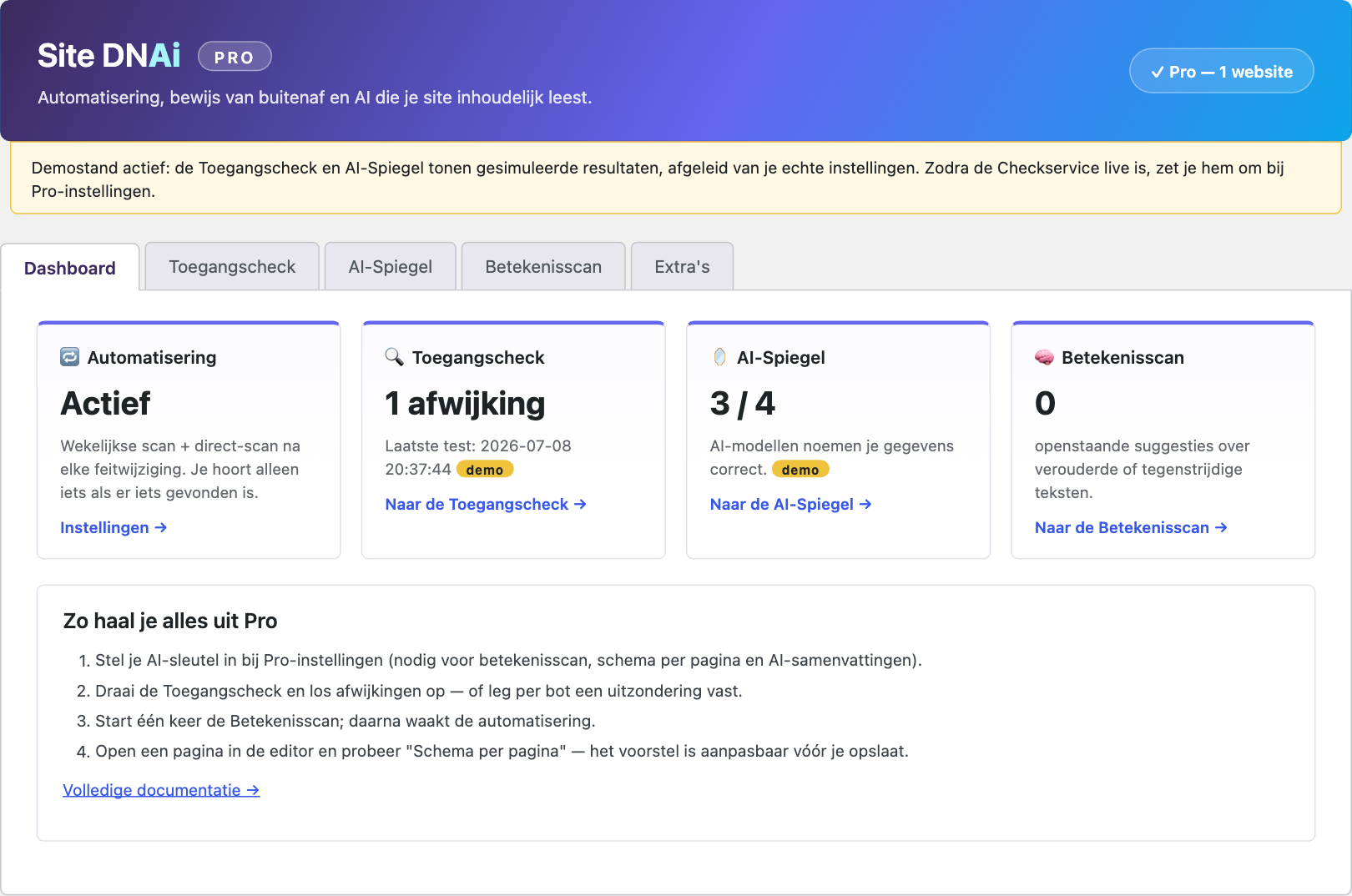
Real plugin view — click for the full screen
Shortcodes & blocks
[sdna_feit naam=”openingstijden”] — shows a fact, always up to date[sdna_open_status] — “Open now” or “Closed”, automatically (pro: incl. public holidays)[sdna_ai_label] — shows the AI label of the page[sdna_verklaring_link] — links to your AI statement
For developers: hooks and filters (such as sdnap_license_validate) are described in the documentation screen inside the plugin itself.
Can’t work it out?
Site DNAi
One source of truth for your entire website. Site DNAi makes WordPress sites AI-proof: accurate facts, compliance handled, findable by AI.
© 2026 Site DNAi · a product of Pixelsz
🧬 This site uses Site DNAi itself — view our AI statement

